Protect existing investment
Evaluate a new access experience for existing host applications without starting with a system replacement project.
 Host Studio
TN3270 / TN3270E SNA / TN5250 / TN5250E SNA
HOST STUDIO / ENTERPRISE
Give your teams native tools on Mac, iPhone, iPad, and Apple Vision Pro to work with the mainframes and IBM i systems you already use.
3270 · 5250 · macOS · iOS · iPadOS · visionOS
Evaluate a new access experience for existing host applications without starting with a system replacement project.
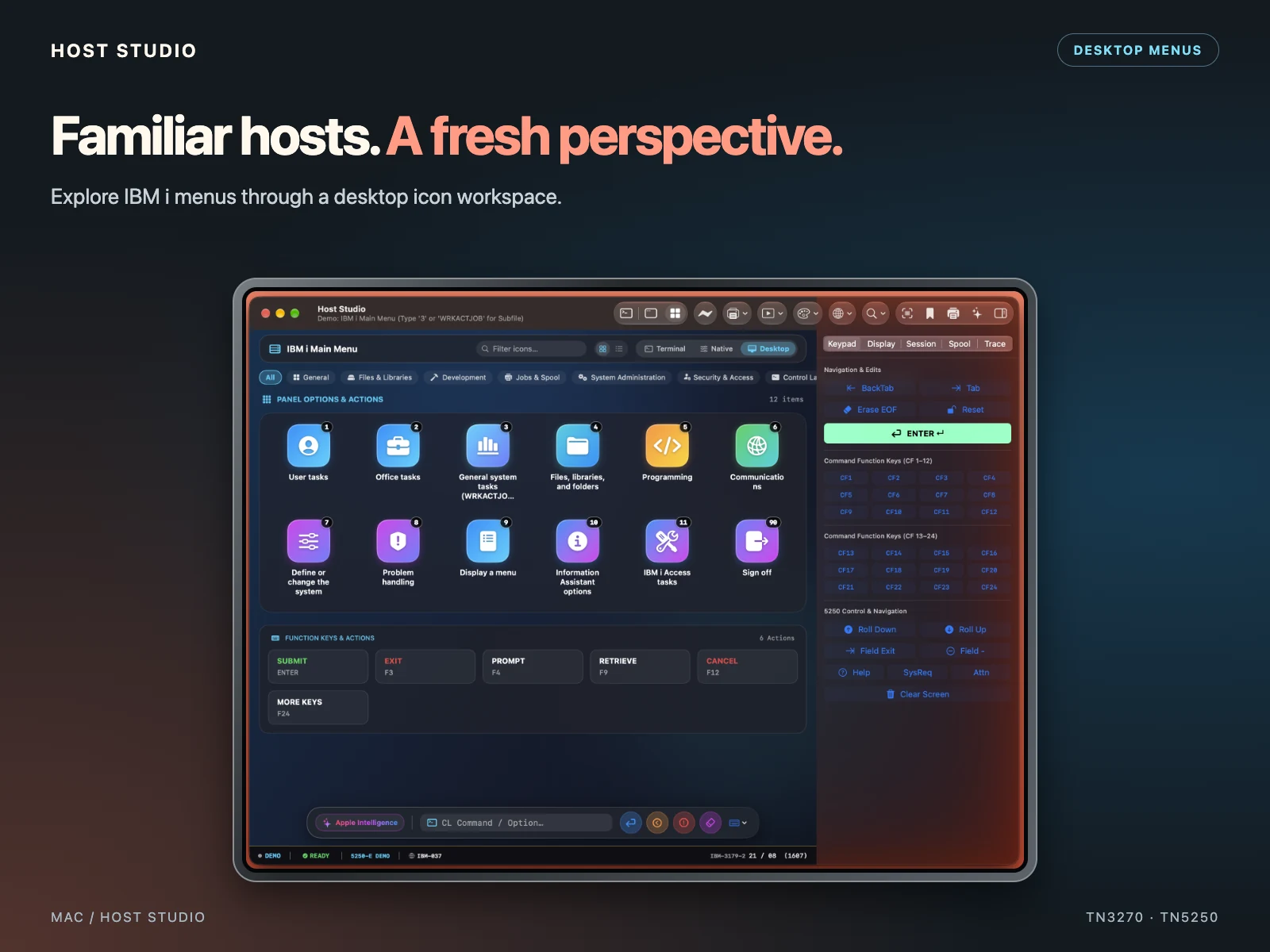
Desktop menus, native forms, keyboard mapping, and field-level copy and paste bring practical tools to 3270 and 5250 workflows.
Explore host profiles and MDM configuration. Validate settings, devices, and permissions with your IT team.
Start with a familiar workflow: open a host application through Desktop UI, work with its forms, and review available output. Evaluate file transfers and host printing where your environment supports them.
FOR IT TEAMS
Review host profiles, MDM configuration, and required permissions with your administrators.
Test your 3270 and 5250 applications, code pages, function keys, SysReq and Attn controls, and printing workflows.
The app includes no analytics, advertising, or tracking. Host data does not pass through developer-operated servers. AI assistance stays on-device.
START SMALL / SCALE UP
Purchase a small number of licenses through Apps and Books in Apple Business Manager to evaluate Host Studio in your environment. Add more licenses when you’re ready for a wider rollout.
Choose a small group, the Apple devices involved, and two or three representative business tasks.
Confirm connectivity, managed configuration, permissions, and required capabilities before expanding deployment.
Compare task time, errors, and training needs with your current process. Once your requirements are validated, purchase additional licenses for the wider team.
PURCHASING / DEPLOYMENT
Host Studio is available for volume purchase through Apple Business Manager (ABM), also referred to as Apple Business, in supported countries and regions. Purchase licenses centrally and distribute the app through your organization’s device management solution.
In Apps and Books, search for Host Studio or app ID 6816449386. Confirm availability in your organization’s storefront.
Choose the quantity your organization needs. Host Studio is a paid download; purchasing in volume does not require a subscription.
Your IT team can assign app licenses and deploy Host Studio through its connected device management solution. Validate host profiles and required settings before rollout.